
A restaurant POS with tables and kitchen
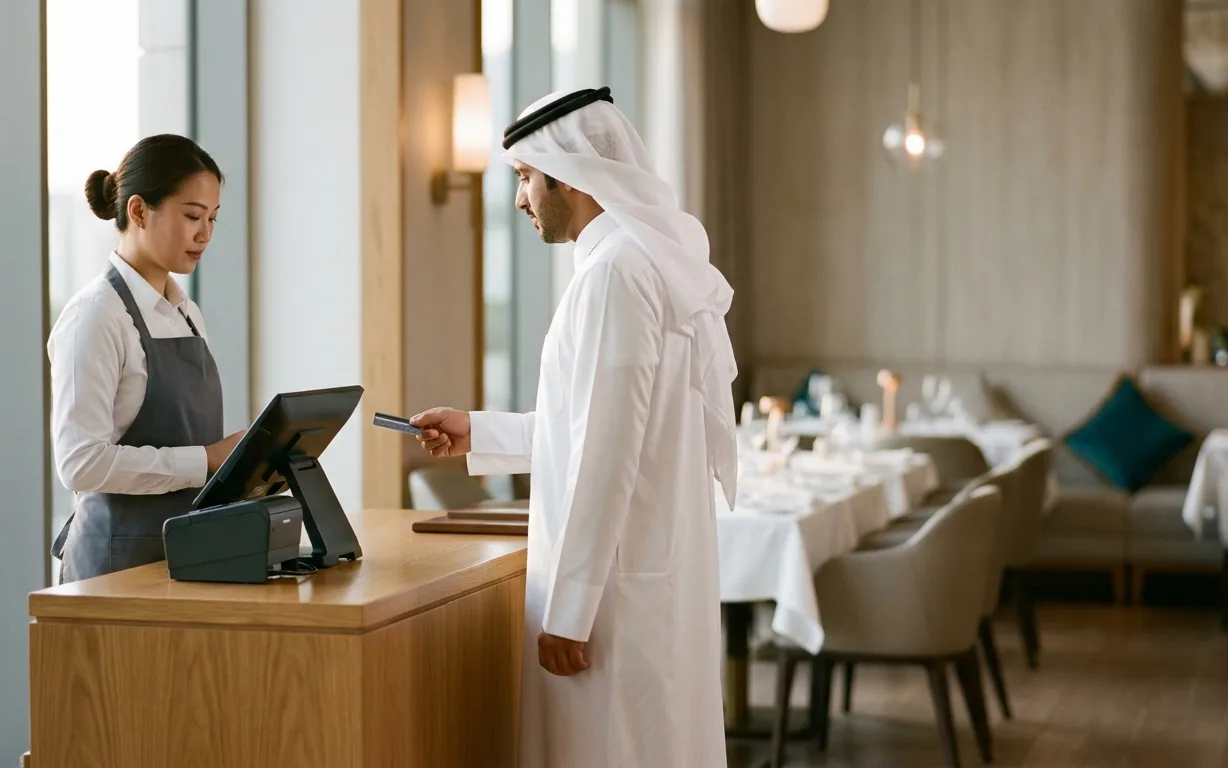
The order reaches the kitchen, the bill is split the way guests want it, and the cash is checked against the drawer. It runs on the restaurant’s own PC without internet.
- Price
- From QAR 1,000, paid once
- Internet
- Not required
- PC
- Windows 10 or later
- Language
- Arabic and English
What does it cost?
| Product | Includes | Price |
|---|---|---|
| Jadwal POS, software | A perpetual licence on your own PC | 1,000 QARpaid once |
| Jadwal POS with a cashier device | Software, supply and installation included | 3,000 QARpaid once |
| Jadwal POS with device, printer, scanner and cash drawer | Software, supply and installation included | 3,500 QARpaid once |
Tables and orders
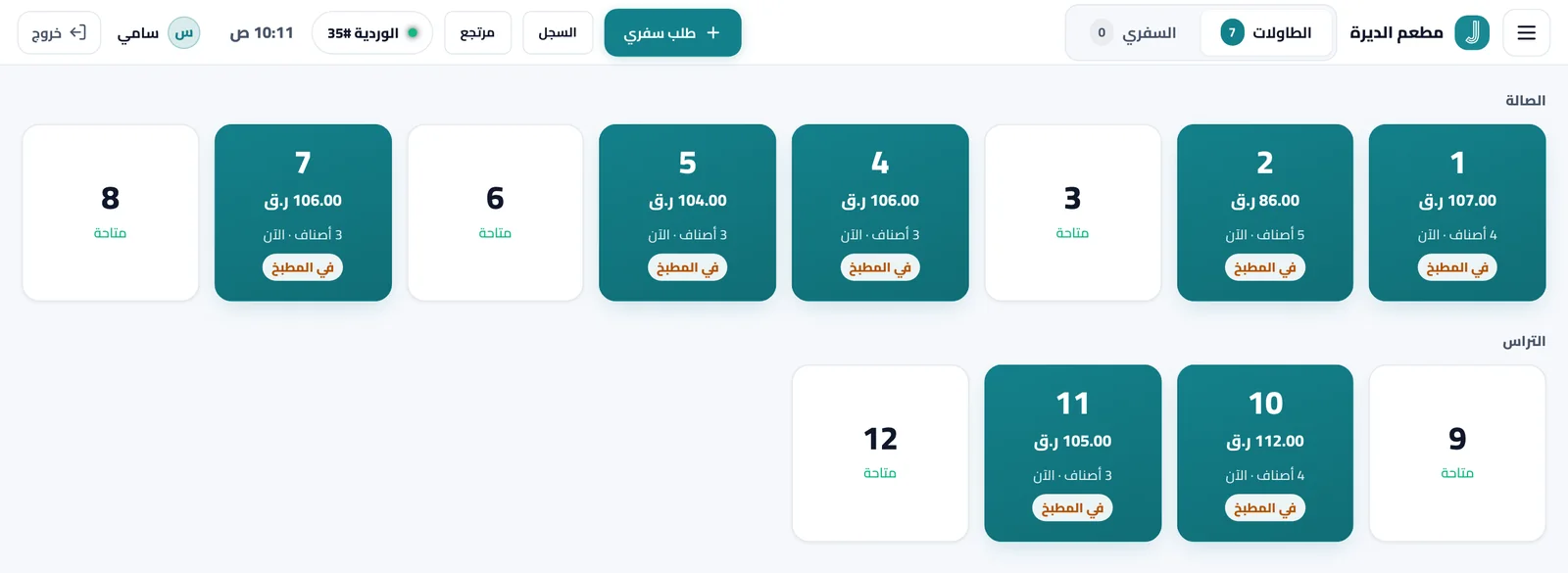
- Hall and terrace
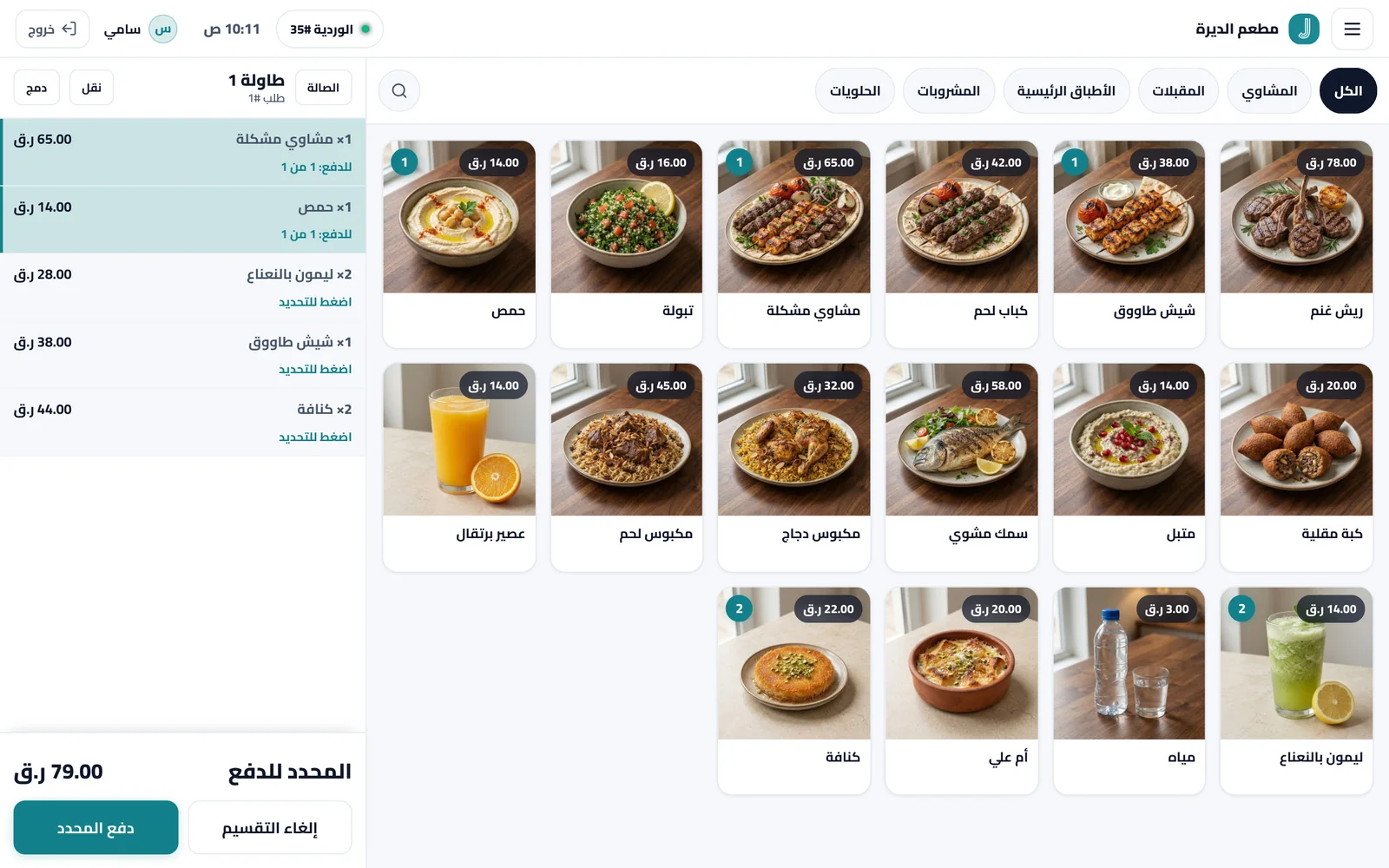
- Every table on one screen, with its open order.
- Move and merge
- Move an order to another table, or merge two tables.
- A note per item
- “Spicy, no onion” reaches the kitchen with the item.
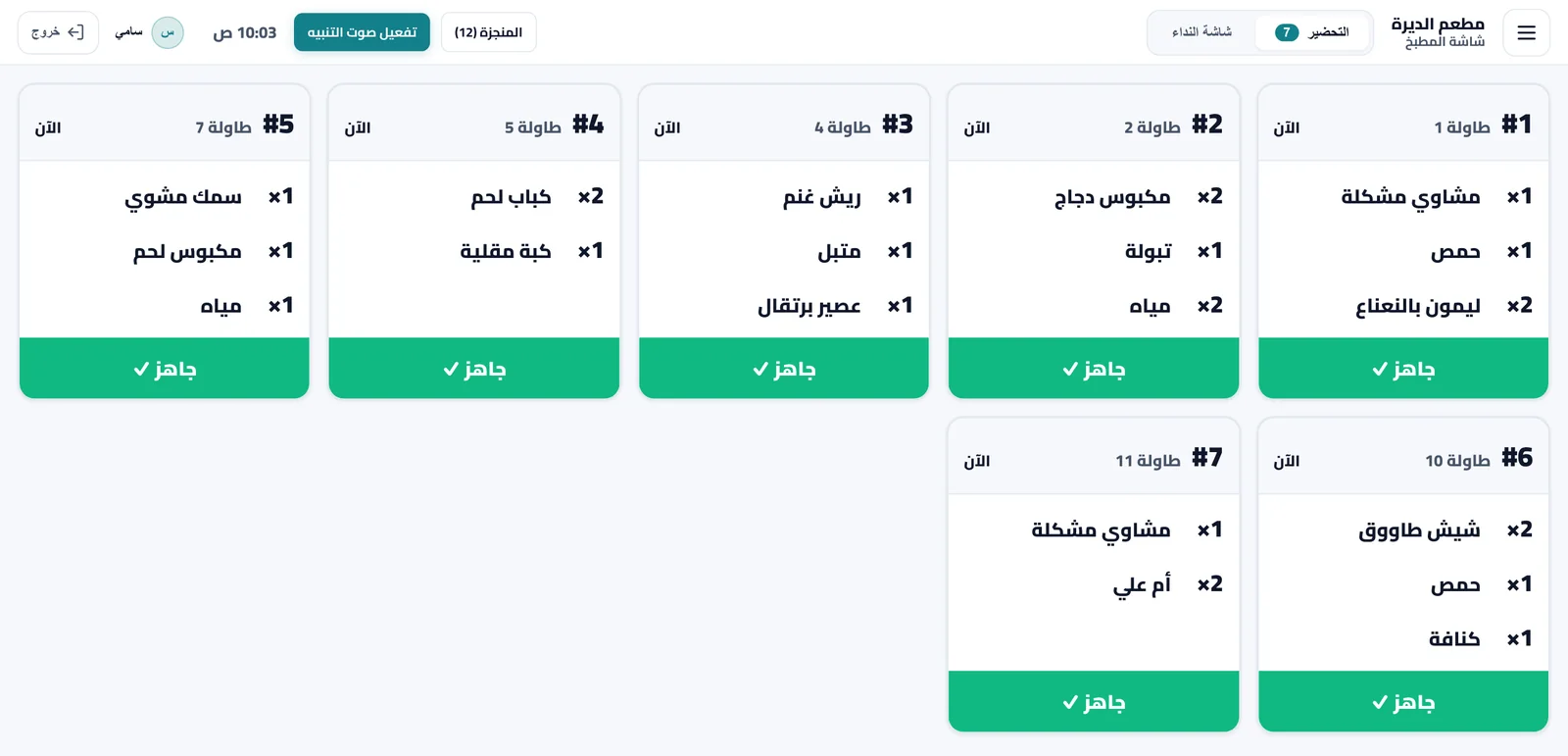
Kitchen screen
Orders in sequence with a ready button for each, or printed preparation tickets by station.
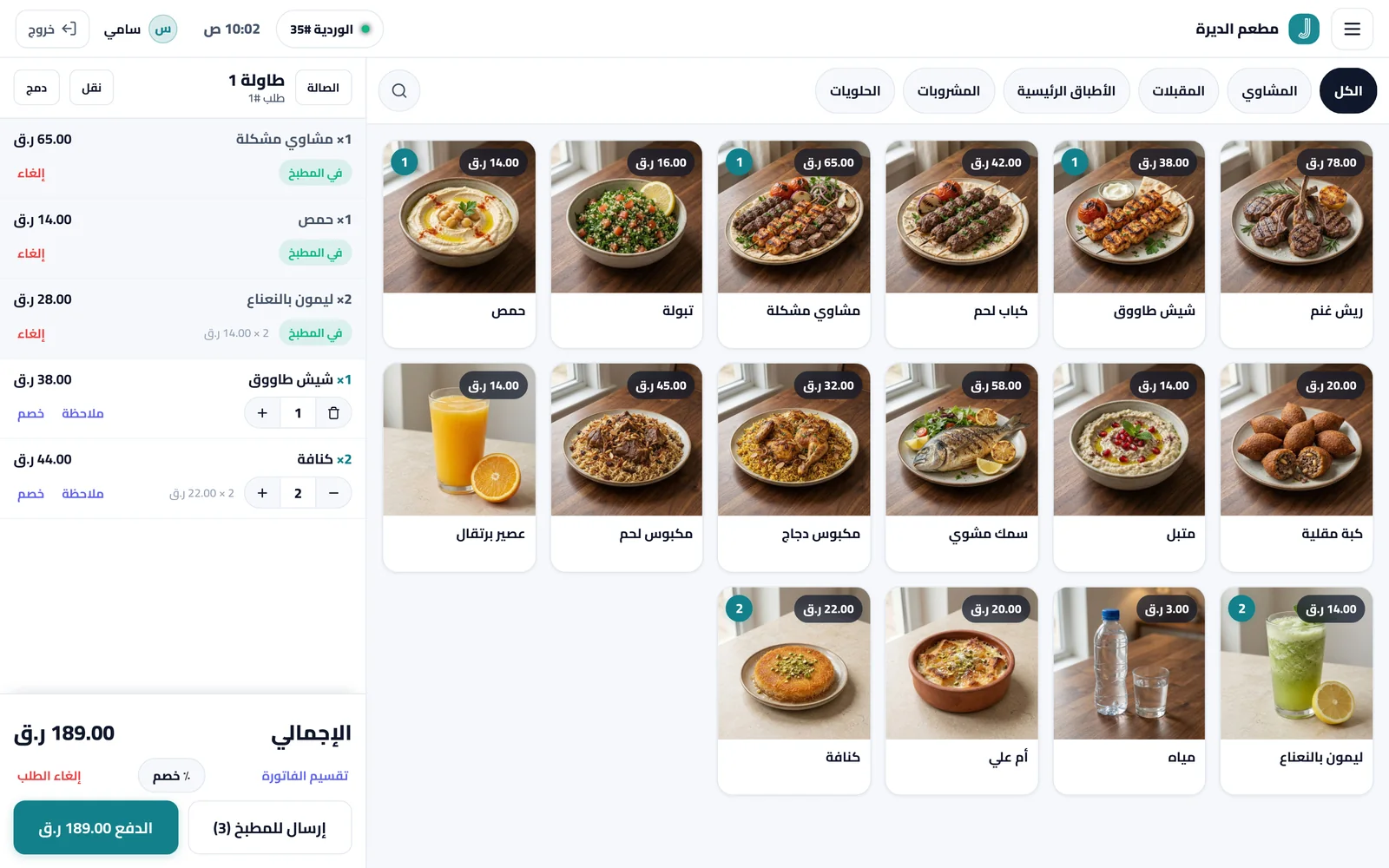
Split the bill by item
Select one guest’s items and take their payment; the rest of the table stays open.
Service charge and recipes
A service charge on dine-in orders, and recipes with raw materials for each dish.
Every riyal in the drawer has a line
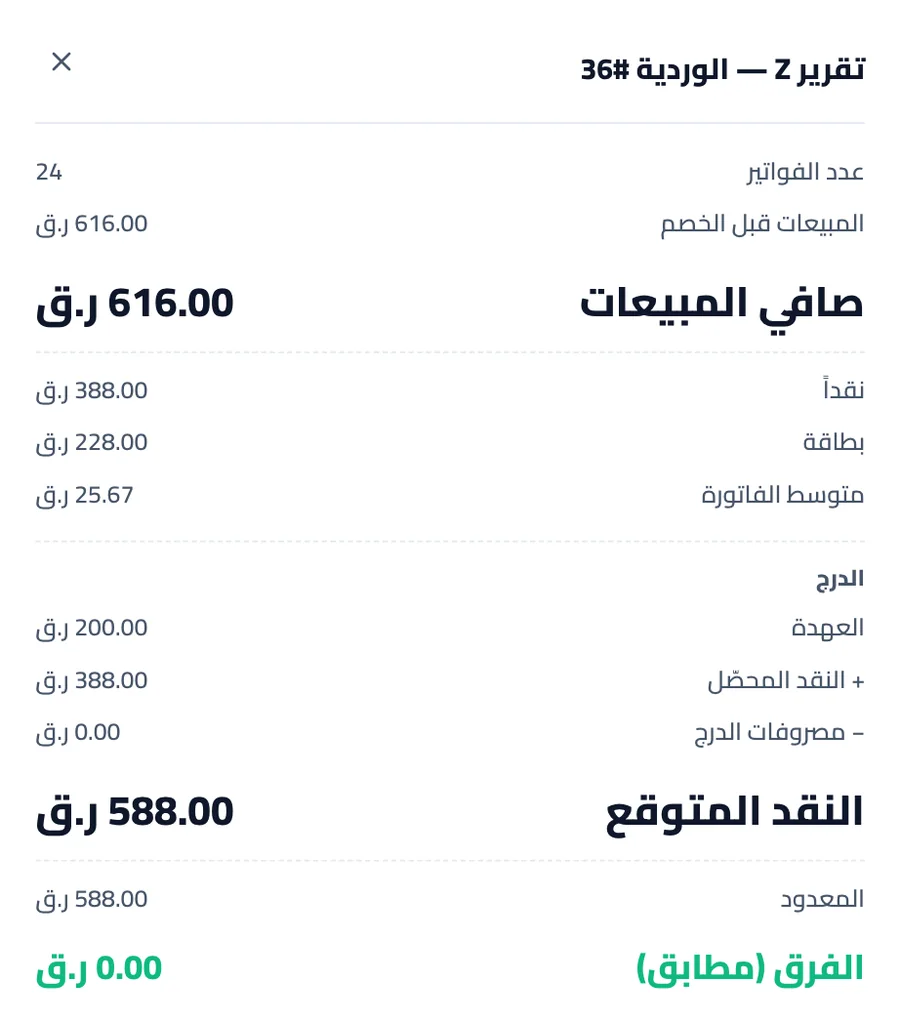
The cashier counts the drawer when closing the shift, and the report states the expected cash, the counted cash and the difference. Every discount and refund carries the name of whoever approved it with their PIN.
When the cashier makes a mistake
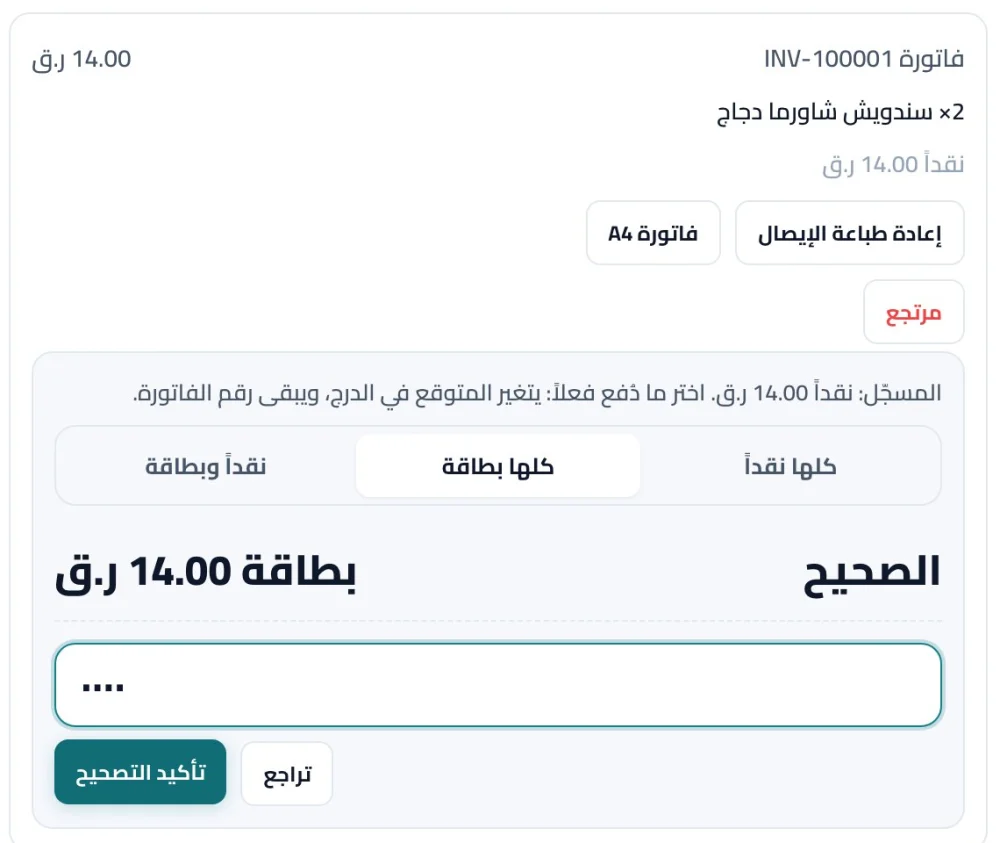
- Recorded as cash, paid by card
- Corrected with the manager’s PIN while the shift is open and the invoice has no refund; the invoice number stays.
- A printed invoice has a wrong item
- Opened and changed with the manager’s PIN while the shift is open and it has no refund, and the difference is shown.
- A customer returns an item
- A refund by item and reason with the manager’s PIN, with its receipt. If it was paid in cash and card, each gets its share back.
What it does not include
- Automatic integration with delivery apps
- Connection to the bank card terminal
- A mobile app
- Multi-branch management
Questions
Does Jadwal POS need the internet?
No. Selling, printing and reports run on the shop’s own PC.
Can the bill be split?
Yes, by item or between people.
Is there a kitchen screen?
Yes, along with printed preparation tickets by station.
What does the device price include?
The software, supply and installation.
Does it connect to Talabat or Snoonu?
There is no automatic integration with delivery apps.
Does it connect to the bank card terminal?
It records card payments; it does not connect to the terminal.
From the cashier guide
Other Jadwal software
- Jadwal ERP, Accounting and operations
- Online Store, Selling online
- Custom systems, for your company’s operations
Ask before you buy
Tell us about your shop or company and we will say which program suits it and what it costs.